English
PDF Desk: PDF Reader & Editor
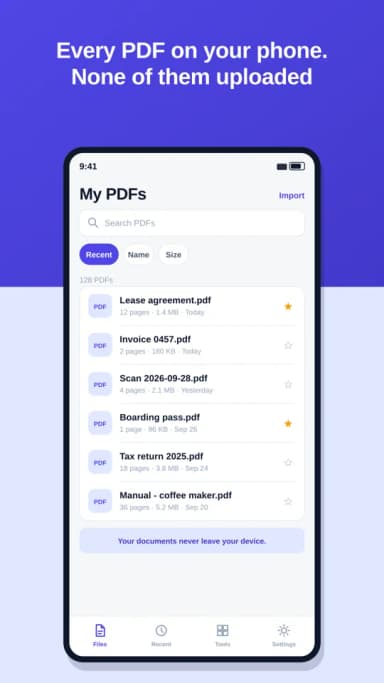
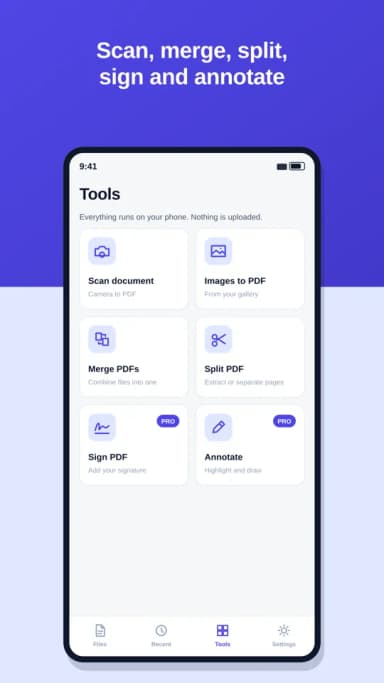
PDF Desk finds every PDF on your phone and puts them in one list. Open them, scan paper into new ones, merge, split, sign and annotate. It all happens on your phone: your documents are never uploaded.
ALL YOUR PDFS
- Every PDF on your phone in one place, once you allow file access
- Search by name and sort by date, name or size
- Recent files and favorites, one tap away
- Rename, share and delete without leaving the app
A READER THAT GETS OUT OF THE WAY
- Scroll or swipe pages, and jump straight to a page number
- Night mode for reading in the dark
- Opens password-protected PDFs when you enter the password
SCAN AND CONVERT
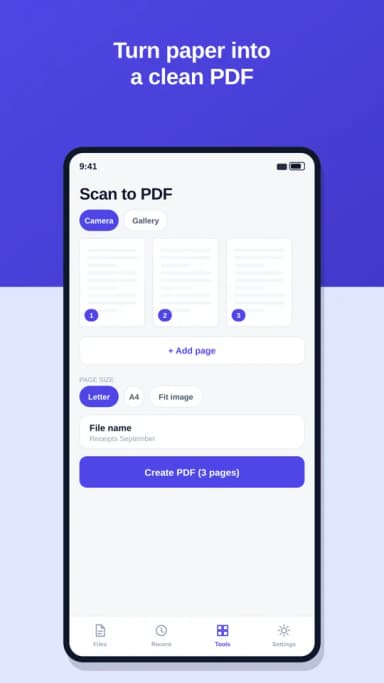
- Take photos of paper documents and turn them into a PDF
- Or turn images from your gallery into a PDF
- Letter or A4 page size
MERGE AND SPLIT
- Combine several PDFs into one and choose the order
- Extract the pages you need, like 1-3, 5, 8
- Or split a PDF into one file per page
SIGN AND ANNOTATE (PRO)
- Draw your signature once and place it on any page
- Highlight and draw on your PDFs, and undo as you go
PLANS
- Free: read and manage every PDF, scan up to 5 pages per PDF, merge up to 3 files at a time and split without limits. With ads.
- Pro: sign and annotate, unlimited scanning and merging, and no ads. 3-day free trial.
Pro is billed monthly or yearly through your store account and renews automatically until you cancel. You can use PDF Desk without an account; to subscribe you sign in, so your plan works on all your devices.
PRIVACY
Your PDFs stay on your phone. PDF Desk does not upload, read or store your documents on any server. File access is only used to find and save your PDFs.